Executive workspace
A customizable executive workspace designed to improve the monitoring experience
Overview01 — 09
Intro
Marketing leaders had access to plenty of data, but understanding the bigger picture still required moving between reports, dashboards, and different parts of the platform. It was difficult to quickly see what was happening, whether performance was on track, and where attention was needed.
Executive Workspace brought these signals together in one place.
This project was created as part of my work on a large B2B marketing platform. The work presented here reflects my personal contribution and perspective as a designer.
Product
B2B platform
Timeline
2022–2024
Role
Design owner
Scope included
- Workspace structure and information hierarchy
- Drill-down patterns for monitoring and analysis
- KPI tracking connected to planning data
- Settings architecture and saved views
- Spotlights integration into the workspace
Problem02 — 09
Challenge
Executive Workspace needed to work as a home base for executive users, not just another reporting dashboard. It had to bring several data-heavy monitoring workflows into one experience while still feeling clear, intuitive, and familiar within the broader platform.
Early feedback pointed to three questions the workspace needed to answer quickly:
- What's happening?
- Are we on track?
- Where should I pay attention?
The experience also needed to adapt to the way different organizations worked. Teams monitored different KPIs, segments, and planning structures, so flexibility had to be built in without making the main workspace feel like a configuration tool.
Approach03 — 09
Structuring the workspace
A natural starting point was to bring everything into one large dashboard. But the early work revealed two distinct monitoring needs:
What's happening? Explore performance, compare segments, and understand what changed.
Are we on track? Check performance against goals and identify anything that needs attention.
Combining both workflows in one interface made the workspace harder to read and navigate. To give each task a clearer structure, I separated the experience into two modes:
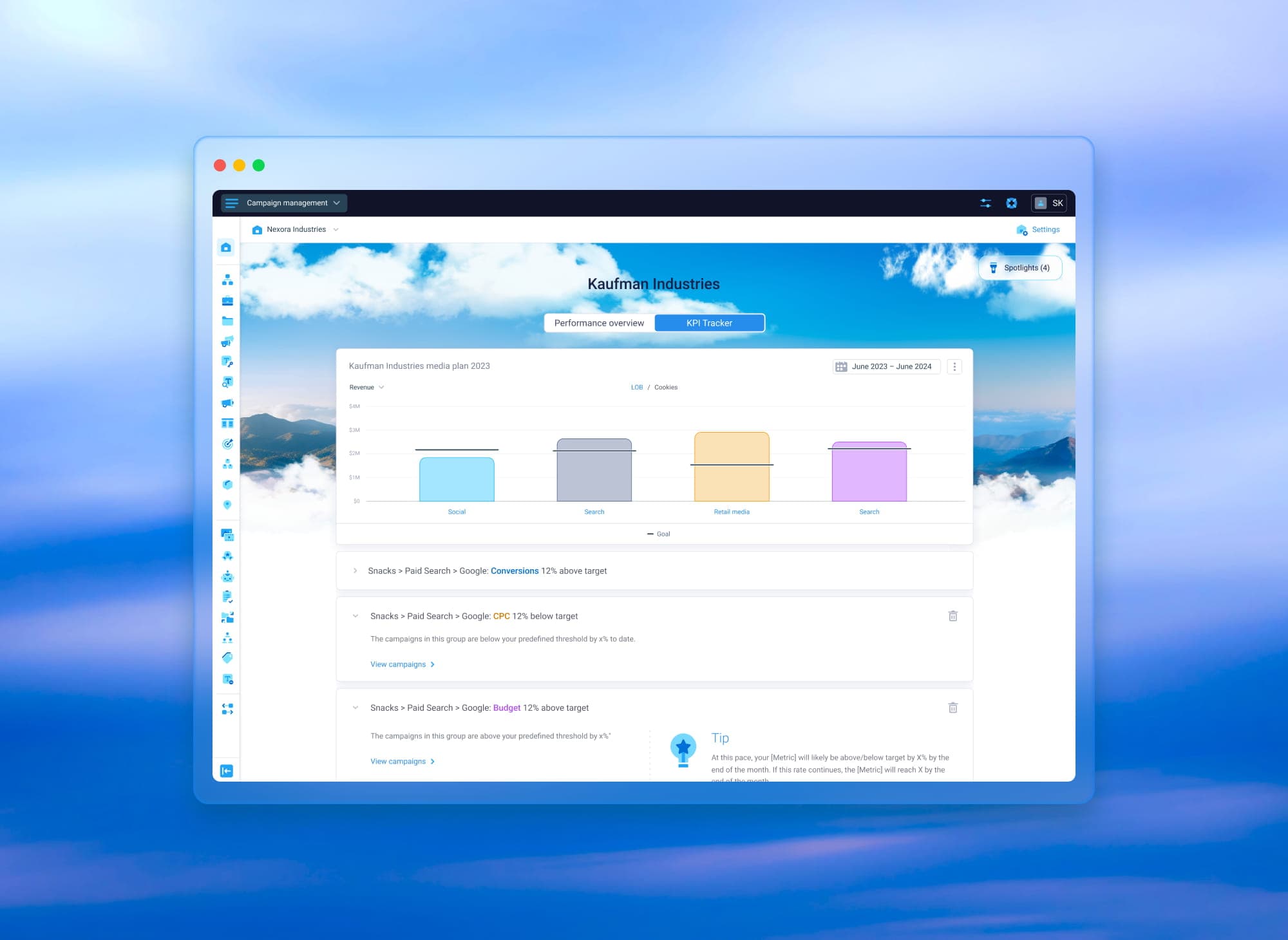
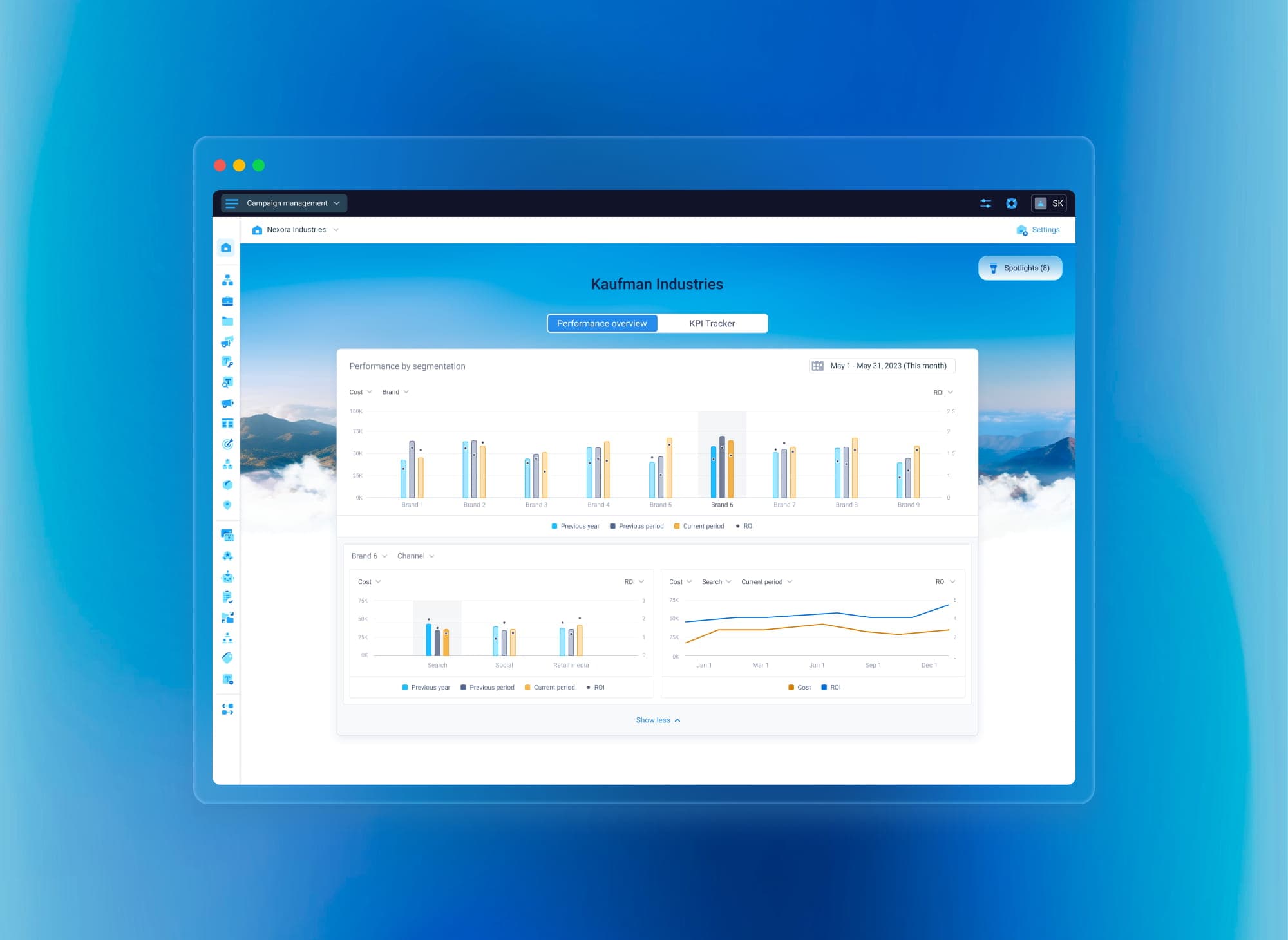
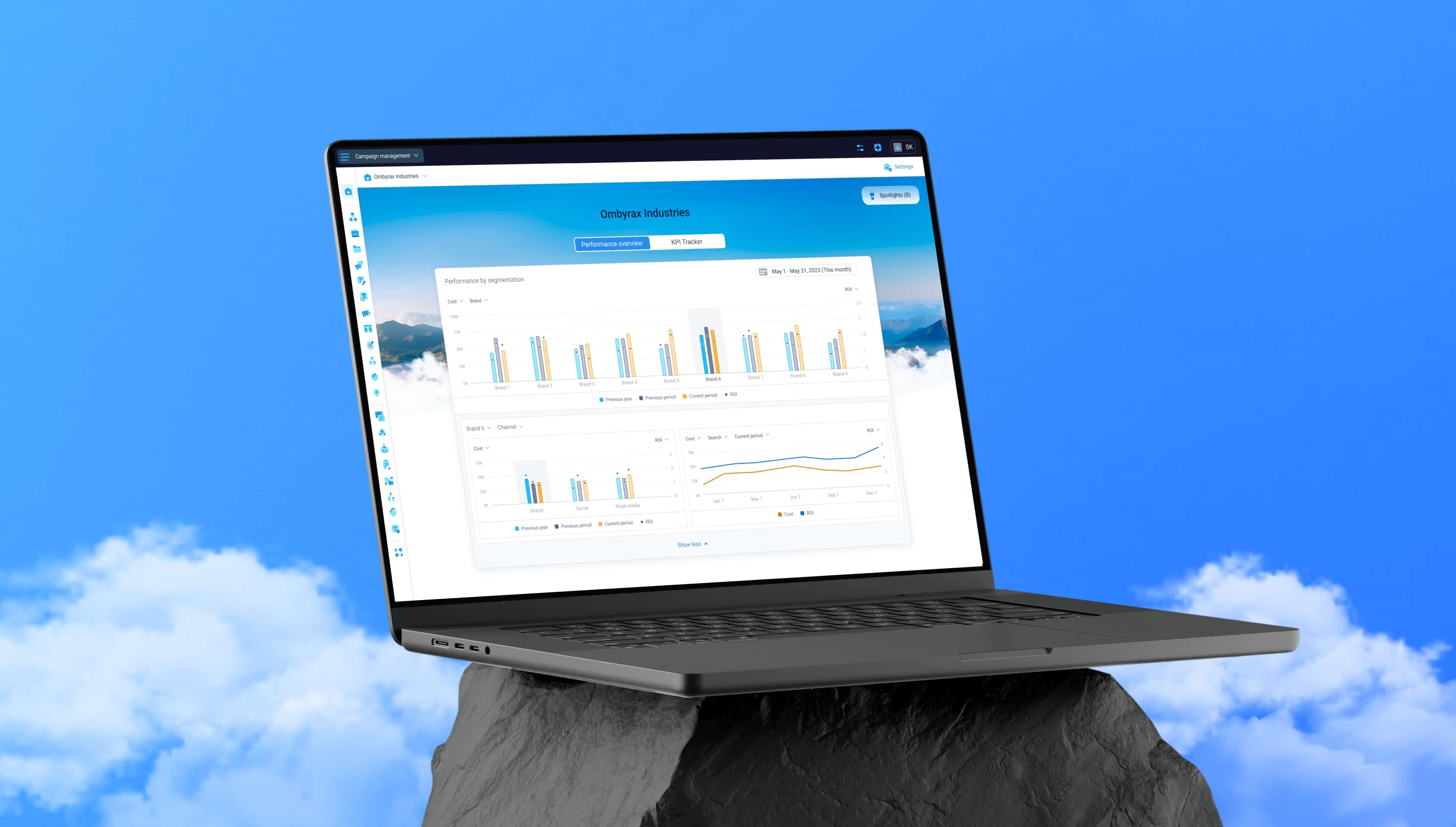
- Performance Overview — built for exploration and comparison
- KPI Tracker — built for quick status checks against goals
Each mode had its own information hierarchy, drill-down logic, and alerting behavior.
The second structural decision was to separate configuration from monitoring. Executives opening the workspace were there to understand performance, while setting up metrics, segments, and views was a different task with a different mindset.
Moving configuration into a dedicated Settings layer kept the main workspace focused while still giving organizations the flexibility to adapt it to their own structure.
Feature04 — 09
Performance Overview: drilling in without losing context
Performance Overview was designed for exploration. The main challenge was fitting enough detail into a data-heavy interface without losing the high-level picture.
Opening a separate page or modal for every level felt too disruptive. Users would have to reorient themselves each time they moved deeper into the data. Instead, I designed an expandable widget with several levels of drill-down inside the same component:
- the top chart acted as the entry point
- each new level expanded from the previous one
- segments and metrics could be changed directly inside the widget
- users could move deeper or return to the previous level without leaving the original context
This kept the investigation anchored in one place. Users could explore what was driving a change while the broader performance picture remained within reach.
Feature05 — 09
KPI Tracker: different scenario, different pattern
KPI Tracker was related to Performance Overview, but it supported a different task. Instead of comparing several segments, users needed to quickly answer:
- Are we on track?
- Where is the issue if we're not?
Reusing the expandable drill-down would have added complexity without helping with this workflow. A breadcrumb-based pattern fit the task better because:
- users only needed to focus on the current level
- the top-level view did not need to remain visible at all times
- the structure supported a direct path from summary to the source of an issue
KPI Tracker was also connected to planning data:
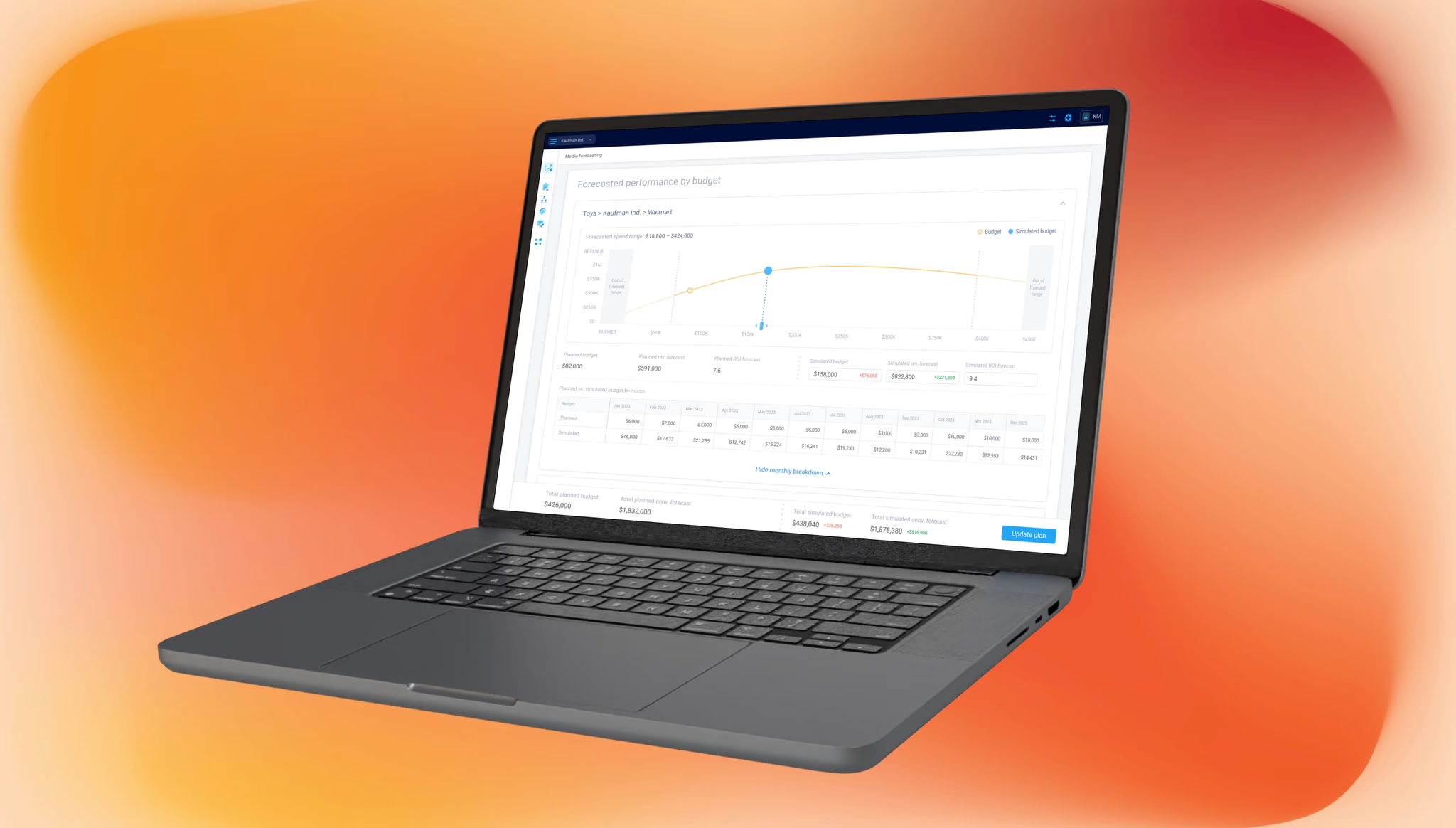
- goals and target values came from a connected Media Plan
- alerts were based on the same source
- performance was monitored against predefined targets rather than explored more broadly
This made KPI Tracker its own monitoring experience rather than a simplified version of Performance Overview. The two modes belonged in the same workspace, but each required a different interaction model.
Feature06 — 09
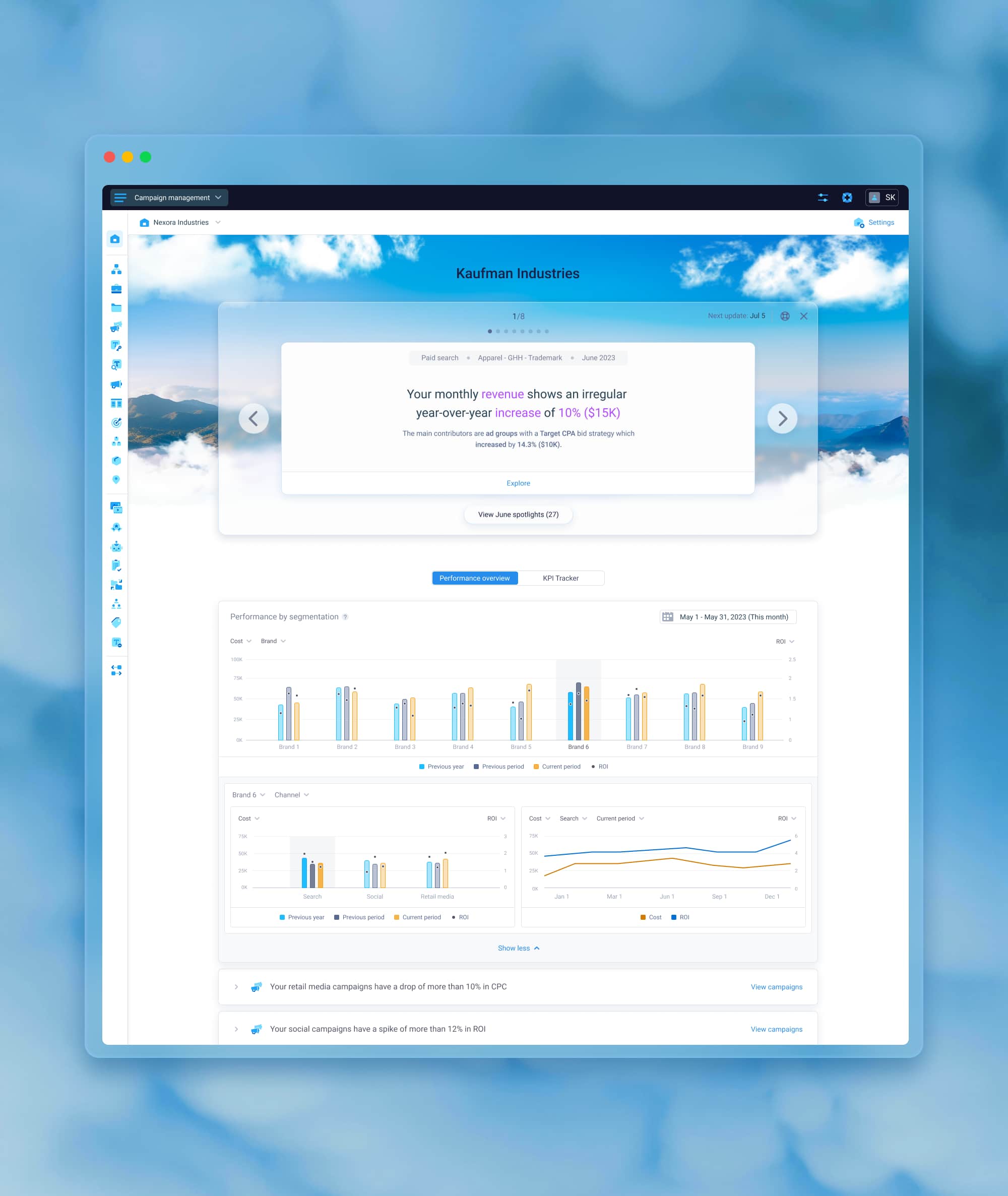
Designing the visual foundation
As the home surface for executive users, Executive Workspace needed to feel more intentional than a standard reporting page while still fitting naturally into the rest of the platform.
We created a lightweight visual foundation around a landscape image with animated cloud layers. It added depth and gave the workspace a more distinct identity without competing with the data. It also connected the experience visually with another home surface in the product.
The motion remained subtle and paused on hover to avoid becoming a distraction.
Feature07 — 09
Integrating Spotlights into the workspace
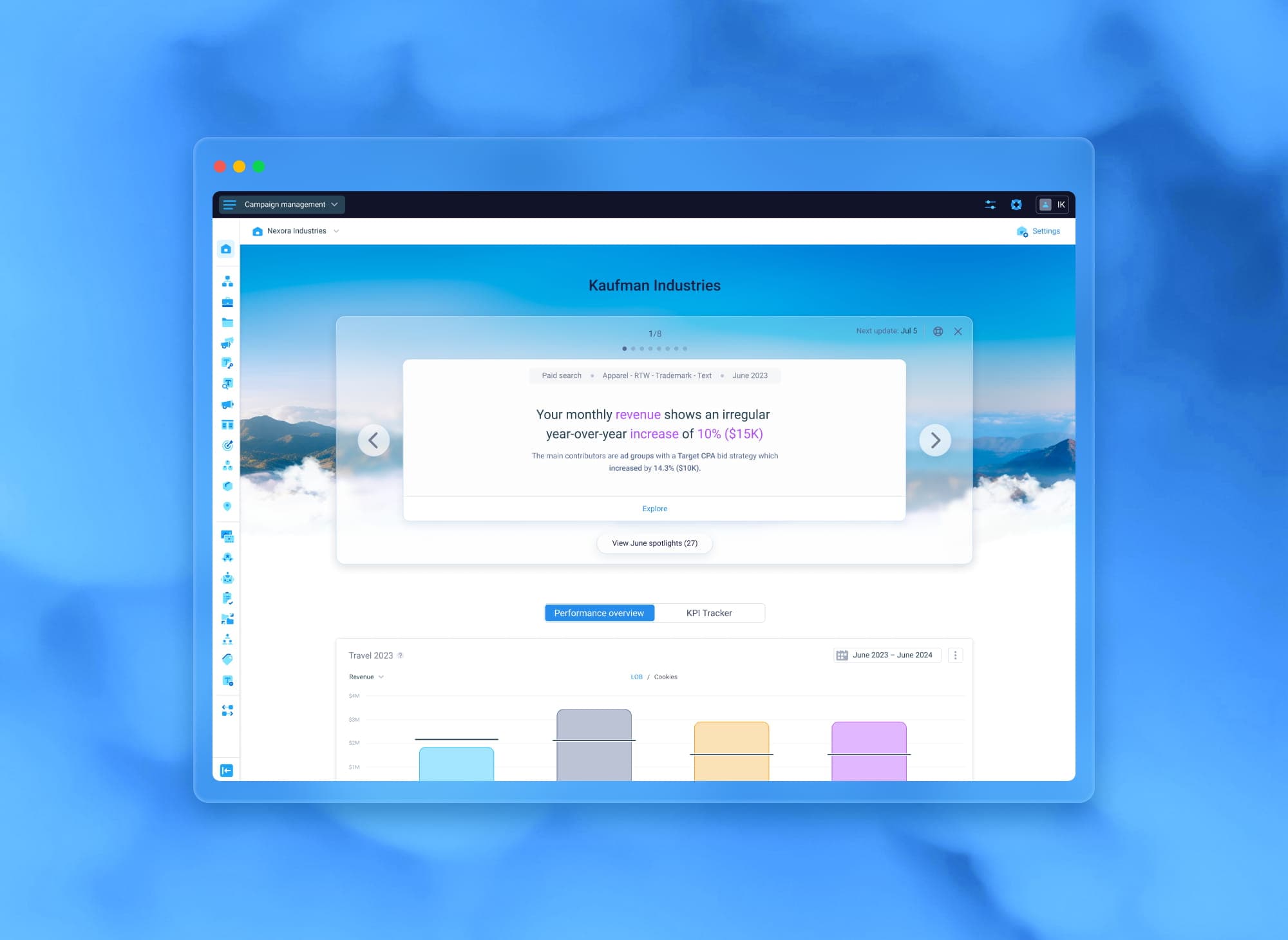
Spotlights started as a separate experience and were later added to Executive Workspace as its highest-priority signal layer.
The workspace already had an established hierarchy of tabs and widgets, so the challenge was to introduce a new top-level element without disrupting that structure. I placed Spotlights above the tabs in a dedicated card area.
This kept them visible as the first signals users encountered without mixing them with the regular monitoring widgets.
Because Spotlights were reviewed periodically rather than continuously, the section could also be collapsed after review. A floating button allowed users to bring it back when needed, keeping the workspace focused without removing access to the content.
Spotlights could appear as banners of different sizes, so I created a shared visual language based on a glass material. This helped the different formats feel like parts of the same system rather than separate components.
Feature08 — 09
Settings: the control layer
Separating Settings from the main workspace helped resolve an important tension. Executive users needed a simple surface for reading and monitoring, while different organizations still needed control over what the workspace displayed.
Settings became the layer where the experience could be shaped. It allowed users to configure:
- scope
- segments
- metrics
- alerts
- the Media Plan connection for KPI Tracker
It also introduced multiple saved views. Each organization could create views around different parts of the business, with every view preserving its own configuration.
This allowed users to:
- switch between business contexts in one click
- keep the main workspace focused and easy to read
- avoid turning the monitoring experience into a complex configuration environment
The result was a flexible system behind a simpler executive surface.
Outcome09 — 09
Outcome
Executive Workspace brought fragmented monitoring workflows into a single home surface where executives could understand:
- how performance was changing
- whether goals were on track
- where attention was needed
Instead of piecing together the story across different reports and parts of the platform, users could move between high-level monitoring and deeper investigation within one connected experience.
The final structure supported both exploration and goal tracking through separate modes, while saved views and Settings allowed the workspace to adapt to different organizations without adding complexity to the main interface.
It also created room for the experience to grow. Spotlights, alerts, and future monitoring capabilities could be added without losing the hierarchy established for the workspace.
From a design perspective, the project was largely about making a multifunctional, data-heavy product feel clear and familiar. That meant deciding what needed to remain visible, what belonged in configuration, and which interaction pattern best supported each monitoring task.
The project reinforced a few principles that continue to shape how I approach complex B2B products:
- surface the most important signals first
- keep the hierarchy clear
- introduce deeper exploration only when it adds value
- separate monitoring from configuration
- make new experiences feel consistent with the product around them